Sell Bespoke Tailored Suits on Shopify
By Mohit Patel, Marketing Specialist, Tailor Size Guide
If you make suits to order, the hard part of selling online isn't the checkout. It's getting every measurement you need, in the right format, attached to the right order, without a chain of emails and spreadsheets. Shopify doesn't do that out of the box. A product page gives you sizes and variants, not a jacket chest, a seat, a sleeve and a set of stitching notes.
Tailor Size Guide is a Shopify app that fixes that gap. It adds a custom measurement form to your suit product pages with no code: you pick the fields, set which ones are required, add guide images, and the customer's measurements are saved with their order. Returning customers can reuse saved measurements when they reorder. Below I'll show you how it works, with screenshots from the app, and how to set up a bespoke suit store that takes orders you can actually cut from.
Free plan with one measurement form · Works on Online Store 2.0 themes
What you need to sell bespoke suits online
A bespoke or made-to-measure suit order needs three things a normal clothing product doesn't:
- Measurements. Not a size, but a set of body measurements your cutter can work from.
- Choices. Fabric, lining, lapel, buttons, vents, pockets, monogram, fit.
- Notes. The details that don't fit in a dropdown, like posture, a dropped shoulder, or "leave extra in the seat."
Shopify's own product options handle part of the second point. Everything else usually ends up in a contact form, an email thread, or a phone call. That's slow for you, it's off-putting for the customer, and it's where measurement mistakes creep in. A remake on a bespoke suit costs fabric and hours of skilled labour, so the order process is worth getting right.
If you're still deciding which kind of custom suit to offer, our guide to made-to-measure vs made-to-order vs bespoke explains the differences in fit, price and lead time.
How Tailor Size Guide handles a suit order
Here's the measurement form the customer sees on a suit product page, straight from the app:
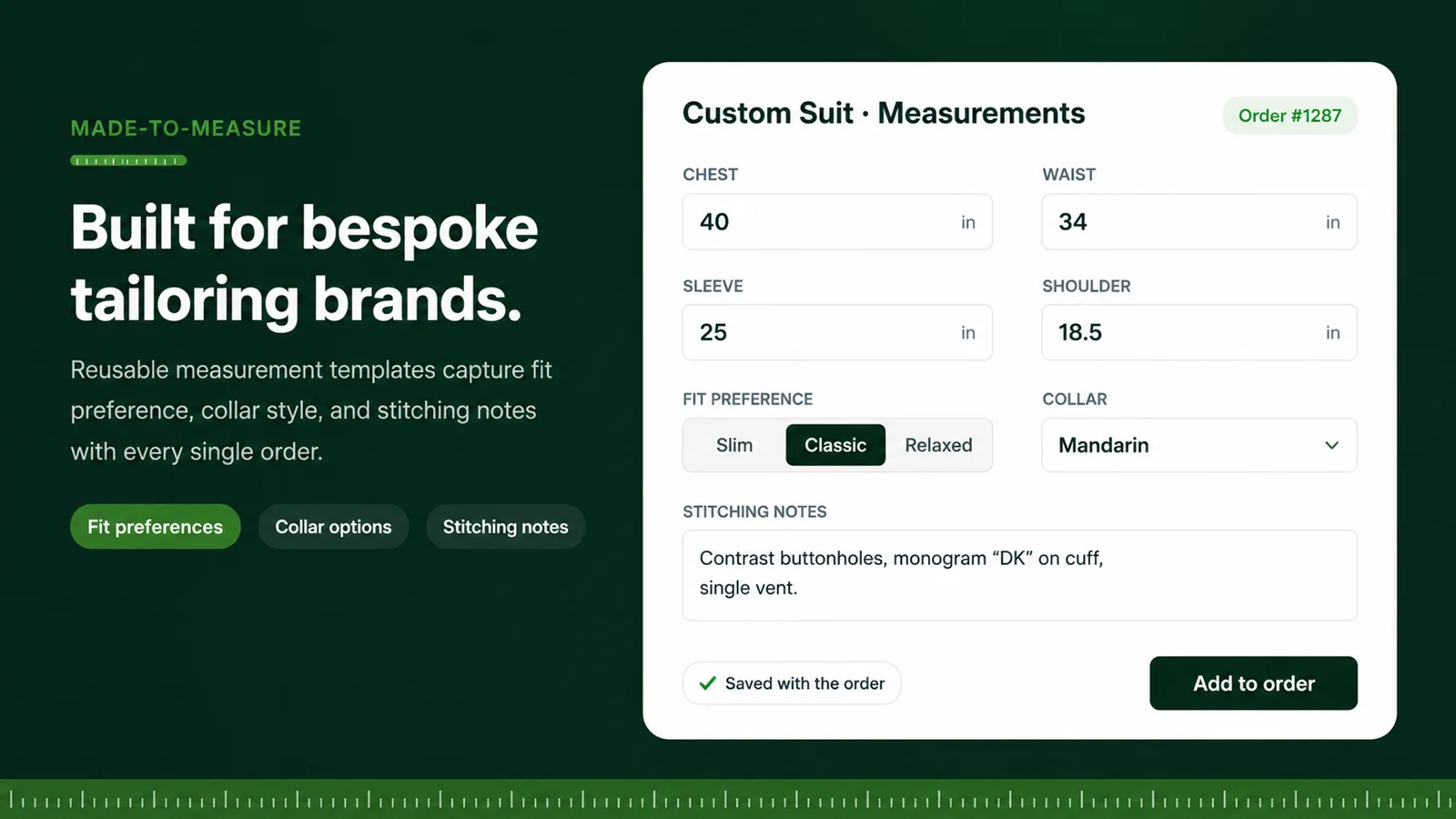
The feature behind it is called Custom Tailor. You build a measurement template once and assign it to your suit products. Each template can include:
| Feature | What it does for a suit order |
|---|---|
| Measurement presets | Start from ready-made templates (shirt, pants, dress, blouse) or build a custom one for jackets and waistcoats |
| Customisable fields | Add exactly the measurements your cutter uses: chest, waist, seat, shoulder, sleeve, jacket length, and more |
| Required or optional | Make the essentials required so no order arrives incomplete |
| Range validation | Set sensible minimum and maximum values so typos like 400 instead of 40 are caught before checkout |
| Drag and drop ordering | Put fields in the order a customer would measure them |
| Measurement guide images | Show a diagram for each field so customers measure the right spot |
| Fit preference | Let the customer choose a slim, classic or relaxed cut |
| Collar options | Offer collar styles, useful for shirts and mandarin or band-collar jackets |
| Stitching notes | A free-text box for monograms, contrast buttonholes, vents and other details |
Everything the customer enters is saved with the order, so your workroom sees the measurements next to the line item rather than in a separate inbox.
The customer's side: a guided measurement flow
Most of your customers have never measured themselves for a suit. The app walks them through it a step at a time, with instructions for each measurement, so they're far less likely to measure the wrong place.
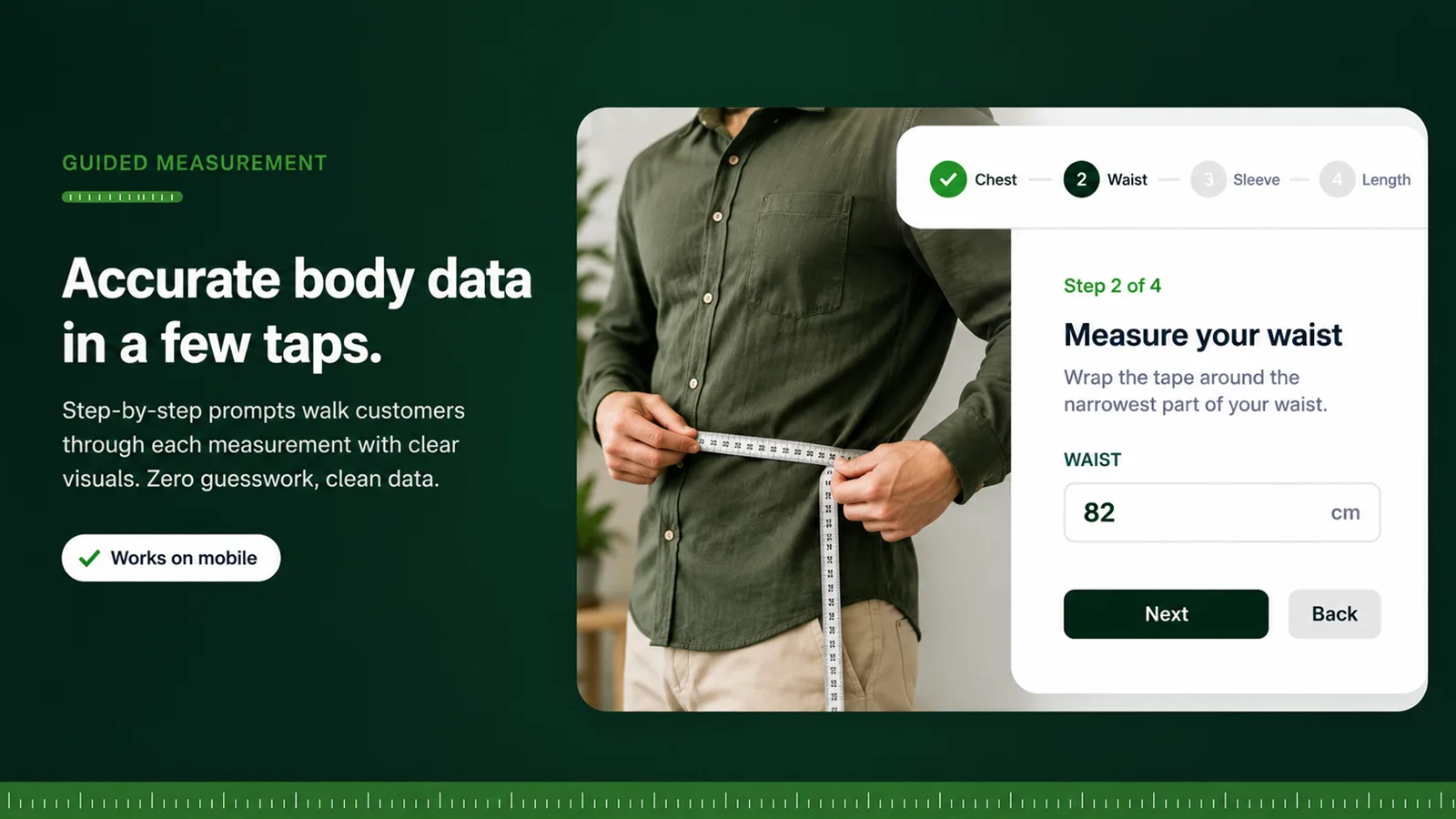
Pair the form with clear written guides. Our step-by-step articles on how to measure for a bespoke suit jacket, how to measure for dress pants, how to measure for a waistcoat and how to measure for a tuxedo are written for exactly this, and you're welcome to link to them from your product pages. For customers measuring without help, how to measure yourself when alone is a useful one to share.
Repeat customers: saved measurements
A good bespoke customer comes back. When they do, they shouldn't have to measure all over again. Tailor Size Guide lets returning customers reuse their saved measurements on reorders, which makes a second or third suit almost as quick to order as a ready-to-wear one.
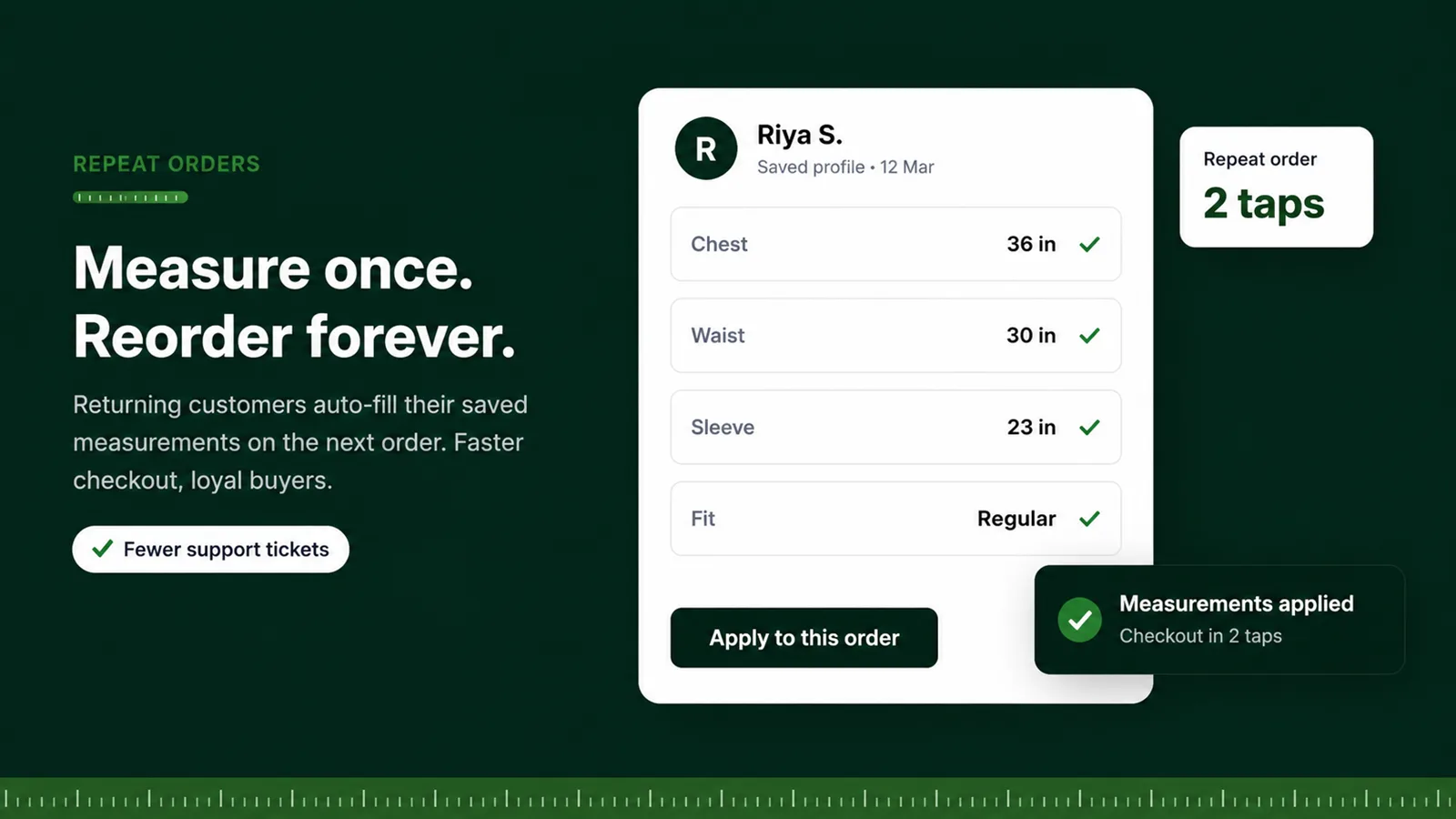
Our guide on saving customer measurements to their account covers how to encourage customers to keep their profile up to date, which matters if their weight changes between orders.
Managing orders in one dashboard
On the merchant side, custom orders come together in one place. From the app you can view all custom orders, print the customer's measurement details for the workroom, and update each order's status as it moves from measuring to cutting to finishing. If you already have a production process, our guide to setting up a bespoke tailoring workflow on Shopify shows how the app fits into it.
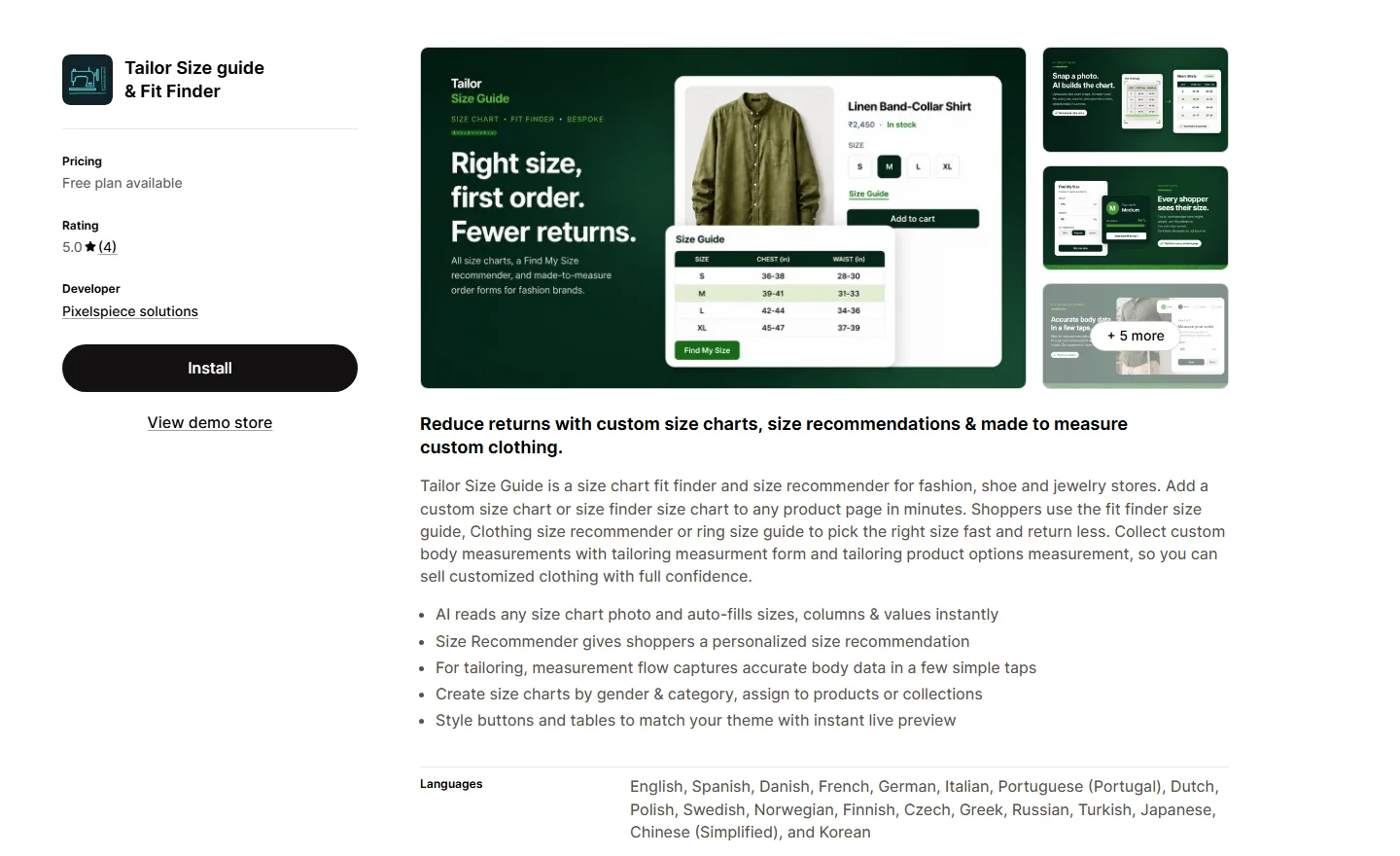
The Tailor Size Guide listing on the Shopify App Store
You can install the app directly from Shopify. Here's the listing as it appears today:
How to set up a bespoke suit product, step by step
You don't need a developer for any of this.
- Install Tailor Size Guide from the Shopify App Store.
- Create your suit product in Shopify. Use variants for the choices that change the price, such as fabric or a two-piece versus three-piece suit.
- Open Custom Tailor in the app and create a template. Start from the Custom preset for the jacket, and the Pants preset for trousers.
- Add your fields. A typical jacket template includes chest, waist, seat, shoulder width, sleeve length, jacket length, neck, and bicep. A trouser template includes waist, seat, outseam, inseam, thigh, knee and cuff opening. Add height and weight too; they help your cutter check that the numbers hang together.
- Make the essentials required and set a sensible range for each one, so a missing or mistyped measurement is caught before checkout.
- Upload a guide image for each field.
- Turn on the advanced options you need: fit preference, collar options, and stitching notes.
- Save the template and assign it to your suit products from the app dashboard.
- Add the app block to your product template in the theme editor, next to the variant picker, and save.
- Place a test order yourself and check the measurements show up exactly as your workroom needs them.
Our general guide to adding made-to-order options on Shopify and the made-to-order on Shopify page cover the same setup for other garments.
What to measure for a suit
Every tailor has their own list, and you should use yours. As a starting point, this is what most suit makers ask for:
| Garment | Common measurements |
|---|---|
| Jacket | Chest, stomach or waist, seat, shoulder width, sleeve length, back length, jacket length, neck, bicep, wrist |
| Trousers | Waist, seat, rise, outseam, inseam, thigh, knee, cuff or hem opening |
| Waistcoat | Chest, stomach, waistcoat length front and back |
| Overall | Height, weight, posture notes, shoulder slope, preferred fit |
If you'd rather start from standard sizes and adjust, our men's suit size chart, suit size calculator, and explainer on what drop means in men's suits are good references.
Reducing remakes
Bespoke remakes are expensive, so it's worth designing the order process to prevent them:
- Validate every number. Range checks catch the biggest errors, like a 34 typed as 43.
- Ask for height and weight. They let your cutter sanity-check the measurements against each other.
- Use guide images and written instructions for every field.
- Offer a fit check. Some brands offer a short video call or a basted fitting before the final make. Others send a fit sample. Even a follow-up email asking the customer to double-check two or three key numbers helps.
- Keep the customer's history. Reusing saved measurements, adjusted for any changes, is more reliable than starting from scratch.
Pricing and which plan you need
Tailor Size Guide pricing, as listed on the Shopify App Store in October 2026. Each plan includes everything in the plan below it.
| Plan | Monthly | Custom measurement forms | Size charts |
|---|---|---|---|
| Free | $0 | 1 | 2 |
| Starter | $7.99 | 2 | 15 |
| Professional | $13.99 | 10 | 20 |
| Advanced | $24.99 | Unlimited | Unlimited |
Yearly billing saves about 20%. A store selling one suit style can start on the free plan with a single measurement form. If you sell separate jacket, trouser and shirt templates, Starter or Professional is a better fit. Check the App Store listing for current pricing before you decide.
Returns and custom suits
Made-to-measure items are usually handled differently from ready-to-wear when it comes to returns. In the EU, for example, the Consumer Rights Directive allows sellers to exclude goods "made to the consumer's specifications or clearly personalised" from the standard 14-day right of withdrawal. Rules differ by country, though, so check your local consumer law and state your policy clearly on every suit page. Many bespoke brands offer free alterations instead of returns, which keeps customers happy without writing off a suit. Our guide to writing a return policy that converts and the post on a perfect-fit guarantee cover how to phrase it.
Selling more than suits
The same measurement templates work for shirts, trousers, dresses, blouses and ethnic wear. If you also sell personalised items, like monogrammed accessories, our guide to the best Shopify product personalizer covers that side. And for a wider comparison, see the best bespoke tailoring apps for Shopify.
Frequently asked questions
Can I sell bespoke suits on Shopify?
Yes. Shopify handles the product, payment and checkout. A measurement app like Tailor Size Guide adds the custom measurement form so each order arrives with the customer's measurements, fit preference and notes attached.
Do I need to code to add a custom measurement form?
No. You build the form in Tailor Size Guide's Custom Tailor section, assign it to your suit products, and add the app block to your product page in the theme editor.
Where do the customer's measurements go?
They're saved with the order. You can view all custom orders in the app, print the measurement details for your workroom, and update each order's status.
Can returning customers reuse their measurements?
Yes. Returning customers can reuse saved measurements when they reorder, so they don't need to measure again unless something has changed.
How do I stop customers entering wrong measurements?
Make key fields required, set minimum and maximum values for each measurement, and add a guide image to every field. Asking for height and weight also helps your cutter spot numbers that don't add up.
How much does Tailor Size Guide cost?
There's a free plan with one custom measurement form. Paid plans are $7.99, $13.99 and $24.99 a month, with more forms and size charts on each plan, as listed on the Shopify App Store in October 2026.
Do I have to accept returns on bespoke suits?
It depends on where you sell. In the EU, goods made to the consumer's specifications are exempt from the standard 14-day withdrawal right, but rules vary by country. State your policy clearly, and consider offering alterations instead of returns.
Sources
- Tailor Size Guide on the Shopify App StoreFeatures, screenshots and pricing, checked October 2026.
- Tailor Size Guide documentation: Custom TailorPresets, field settings, range validation, guide images and advanced options.
- Directive 2011/83/EU on consumer rights, Article 16(c)Exempts goods made to the consumer's specifications or clearly personalised from the right of withdrawal.
Take your first bespoke suit order this week
Build a suit measurement form in minutes, assign it to your products, and every order arrives with the numbers your cutter needs.
Install on Shopify